Typography | Task 1 : Type Expression & Formatting
Typography | Task 1 : Type Expression & Formatting
26/09/2023- 24/10/2023 (Week 01 — Week 04)
Wang Yifan/ 0368363
Typography/ Bachelor of Design (Hons) in Creative Media / Taylor's University
Task 01/ Exercise 1 & 2
TABLE OF CONTENTS
1. Lectures
2. Instructions
3. Process Work
Week01
Lecture 01: Introduction
1.In the first lecture, Mr. Vinod introduced us to Typography, what it is, and how it is used.
Through this lesson I understand typography to mean the visualization of text:pictures, graphics, etc. The adjustment of the position and size of information elements on the layout is the process of making the layout orderly. According to the manuscript, the lead, plate, etc. are arranged together to form the plate of the book and newspaper for printing. The basic concept of typesetting, the text, forms, graphics, pictures and other reasonable arrangement adjustment, so that the layout to achieve beautiful visual effects Typography has evolved over 500 years, from calligraphy to lettering, to typography. Mr. Vinod also taught us about the two terminologies of Typography which are Font and Typefaces.Outcome; I understood.
- Font refers to the individual font or weight within the typeface. For example, Georgia Regular, Georgia Italic, and Georgia Bold.


Lecture 02: Development

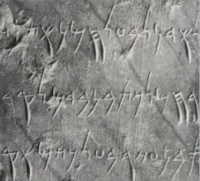


- 1450, Blackletter
- 1475, Oldstyle
- 1500, Italic
- 1550, Script
- 1750, Transitional
- 1775, Modern
- 1825, Square Serif/ Slab Serif
- 1900, Sans Serif
- 1990, Serif/ Sans Serif
 |
| Fig 1.19 With & Without Kerning, Week 2 (10/4/2023) |
Tracking : Additional and removal of space in a word or sentence. Tracking is normally used in large text. Normal tracking is used in large paragraph of texts as the readability is high but lose tracking and tight tracking will reduce the readability of the words as readers recognize the counterform of space in between the strokes hence it is not suitable for large paragraphs of text
2. Alignment / Formatting of text Flush left: mirrors the asymmetrical experience of handwriting. It closely resembles the asymmetrical experience of handwriting. Constant spacing is used throughout the text.   Figure 1.2.4 Centered Flush right: Emphasis is placed on the end of the line, commonly found in captions where the relationship between the text and pictorial might be ambiguous without strong orientation from the left to right.  Figure 1.2.5 Flush right Justified: Similar to cantering, this format imposes a symmetrical structure onto the text. It can be done by expanding or reducing (adjusting) the spaces between words and individual letters. This adjustment in spacing can lead to lines appearing more open, and may result in vertical ‘rivers’ of white spaces running through the text.  Figure 1.2.6 Justified 3. Texture It is imperative to consider the different textures related to the typefaces. Type that has high x-height and heavy stroke width produces a darker mass on the page compared to the small x-heights or lighter stroke. Putting consideration into these differences are the basis of creating good layouts.
Differences between grey value can be easily spotted in the variation of typefaces.
Line Length - Number of characters in a line, ideally we should keep it at 55-65 characters.
|


 | |||||||||||||
| Fig 1.44 Leading vs Line Space , Week 3 (10/11/2023) Indentation : Normal indentation is the indent of the first line in the paragraph. The ident is the same size of line spacing or the same point as the line of the text. 2. Widows and Orphans  Fig 1.27 Examples of Widow and Orphan, Week 3 (10/10/2023). 3. Highlighting Text
 Fig 1.32 A head, Week 3 (10/10/2023) 2. The title of the article is the name of the article, which is the organic composition of the article.It is important to highlight the theme of the article and express the content of the article.  Fig 1.33 B head, Week 3 (10/10/2023) 3. The literal and common meaning of the title in the article is the title of the article. The deep meaning is figurative, symbolic, extended, etc., which is often an abstract spiritual quality, and is often the center of the article to be revealed.  Fig 1.34 C head, Week 3 (10/10/2023) 5. Cross Alignments Cross aligning headlines or text will aid in reinforcing the architectural sense of the page while articulating the complimentary visual rhythms. This example shows one headline type cross aligns with two lines of text.
Lecture 5 : Type_4_Text_Basic For week 5, Mr. Vinod introduced us to the basics of Typography. 1. Describing Letterforms It is important for us to know how to identify letterform's component parts for us to tell the specific typefaces. Below are some crucial components we need to know, - Baseline : The imaginary line the visual base of the letterforms - Median : The imaginary line defining the x-height of the letterforms - X height : The height in any typeface of the lowercase 'x' - Stroke : Any line that defines the basic letterform - Apex/Vertex : Point created by joining two diagonal stems ( apex on the top and vertex at the bottom ) - Arm : Short strokes off the stem of the letterform , either horizontal (E,L,F) or inclined upwards (X,Y) - Ascender : The portion of the stem of a lowercase letterform that projects above the median - Barb : The half serif finished on some curved stroke - Beak : The half serif finished on the same horizontal arms - Bowl : The rounded form that describes a counter - Bracket : The transition between the serif and the stem - Cross bar : The horizontal stroke of the letterform that joins two stems together - Cross stroke : The horizontal stroke of the letterform that joins two stems together - Crotch : The interior space where two strokes meet - Ear : The stroke extending out from the main stem or body of the letterform - Descender : The portion of stem of a lowercase that projects below baseline - Em/en : Originally referred to the width of uppercase 'M' , em is now the distance equal to the size of the typeface , and en is half the size of em - Finial : Rounded non serif terminal to the stroke - Leg : Short stroke off the stem of letterform ( at bottom L, inclinced downwards K,R) - Ligature : Character formed by combination of 2 or more letterforms - Link : The stroke that connects the bowl and loop of lowercase 'G' - Loop : Bowl created in the descender of lowercase 'G' - Serif : The right angled or oblique foot at the end of the stroke - Shoulder : The curved stroke that is not part of the bowl - Spine : Curved stem of 'S' - Spur : The extension that articulated the junction of the curved and rectilinear stroke - Stem : The significant vertical or oblique stroke - Stress : Orientation of the letterform, indicated by thin strokes in round forms - Swash : The flourish that extends the stroke of the letterform - Tail : Curved diagonal stroke at the finished of certain letterforms - Terminal : The self contained finish of a store without a serif , it can be flat , flared , acute , grave , concave or rounded as a ball or teardrop. 2. The font Summary: In traditional printing, the line body is used in the text, which is considered to be It is easier to read than village-free lines. It is relatively orthodox. Relatively, sans-serif fonts are used for short stories and titles, etc., which can attract the attention of one reader or provide an easy reading environment.  Fig 1.41 Uppercase, Lowercase, Small Capitals (top to bottom), Week 04 (17/10/2023)  Fig 1.42 Comparison of size between lowercase and small capital, Week 04 (17/10/2023) 3. Describing Typefaces Mr Vinod introduced some typefaces & their stroke and widths -Roman : Their uppercase fonts derived from inscriptions of Roman monuments. A slightly higher stroke in Roman is known as 'book' . -Italic : Named after 15th century italian handwriting -Boldface : Characterized by a thicker stroke than a roman form , depending on their relative strokes, the name can vary from bold to semibold to medium, black and extrabold. -Light : A lighter stroke than Roman , even lighter strokes are called 'thin' -Condense : A version from roman form, extreme condensed styles are called 'compressed' -Extended : An extended variation of roman font
4. Comparing Typefaces  Fig 1.48 Range of attitudes of 'R', Week 04 (17/10/2023) I think:Good comparison of Wenyu can effectively divide the visual hierarchy, convey key information,and increase the volume of the picture, so as to establish a sense of visual richness. INSTRUCTIONS Task 1 : Exercise 1 & 2 Task 1 : Exercise 1 - Type Expression For exercise 1, Mr Vinod allowed us to give our suggestions on what words we would like to try to do for Type Expression. After poll voting, we had to choose 4 words out of these 8 words which are.  I was thinking about how do I design something that has to do with this type of typography and using this software.I went to search on what exactly is typography expression - It is a creative strategy to blend and merges the use of visual communication. This is the first font I designed with AI, and I drew it with a pen. In my mind, chaos is the feeling that there is no mind to do whatever it wants.
 Fig 2.2 Digitized Sketches, Week 2 (3/102023) Final Outcome  Fig 2.3 Final Digitized Type Express, Week 2 (3/10/2023) Fig 2.3 Final Digitized Type Express, Week 2 (3/10/2023)Task 1 Exercise 2: Type Animation For exercise 2, we were tasked to create a simple motion in Adobe Photoshop from 1 of our type expression work in which I chose to do 'huge.' 1. Process Work For my motion, I decided it will zoom in on the word 'huge,' right in the middle and then turn all black before the GIF replays. This was my initial idea. I was also advised to begin the motion by assembling the letters to the center first and then zooming in the middle and turn all black. At the end, I decided to go with my initial idea because I wanted my motion to be straightforward. I began by creating artboards in Adobe Illustrator and manually moved the word to its position. After that I imported the JPEG to Adobe Photoshop and began making the motion.  2. Final Result  4. Task 1 : Exercise 2 - Text Formatting For Exercise 2, we were required to work with kerning , tracking , typefaces , line length etc and create layouts using text formatting. 1. Kerning and Tracking exercise Mr Vinod instructed us to work with kerning and tracking of our own name using the 10 typefaces he provides us with. We were also given flexibility to choose the fonts and sizes in the typeface  Fig 4.1 Name with Kerning , Week 4 (10/17/2023) 2. Text Layout Exercise ( I am Helvetica ) For this exercise, Mr Vinod gave us an abstract of " I am Helvetica" by John Doe. We needed to create a layout with the text given and insert our own chosen picture (related to the text given) and give it a caption. We will be familarised on how to make a good layout and deeper understanding on text formatting. 
 Fig 4.7 Body text typeface2, Week 4 (10/18/2023)  Fig 4.7 Body text typeface3,Week 4 (10/19/2023)  Fig 4.7 Body text typeface4,Week 4 (10/19/2023) HEAD Fonts : Janson Text LT STD 75 Bold (Headline) , Bembo Std Italic (Byline) Type Sizes : 29pt (Headline) , 15pt (Byline) Leading : 36 pt (Headline) , 12pt (Byline) Paragraph Spacing : - BODY Fonts : Univers LT STD Roman 55 (Body Text) , Bembo Italic (Caption) Type Sizes : 8pt (Body Text) , 13pt (Caption) Leading : 11pt (Body Text) , 12pt (Caption) Paragraph Spacing : 11pt Characters per lined : 50haracters Alignment : Left aligned Margins : 12.7mm (top,left,right) , 80mm (bottom) Columns : 4 Gutter : 14mm FEEDBACKWeek 01Specific Feedback: Add a description to the profile, and update lecture notes for Lecture 01- Development. Add task explanation, research, and letterform sketches with descriptions. General Feedback: Update what we learn on the e-portfolio consistently to avoid crashes of upcoming tasks. Week 02Specific Feedback: Do not distort or add exaggerated effects to the letterform. Sketch again to fit in the typefaces given. Try two or more ideas for "Illusion" for backup. General Feedback:Try to explore more software options in addition to more digital concretization. The illustration course can give more consideration to multiple levels and various fields to provide a visual impact and form of expression. Week 03Specific Feedback: The difficulty escalates from the simplest font Settings to the poor animation design of the UPS software and must focus on turning its animations into short both IPS digitized text or keeping the previous black and white. Keep updating the previously learned part of the more comprehensive knowledge that has been learned. General Feedback: Start blogging slowly. The blog has summarized what it has learned. For animation tasks that you have just learned, try to make the procedural steps more fun, such as rotating effects, and shorten the time of each stitch. Make the animation effect more interesting, but also record the process of each work into an electronic file to avoid loss. Week 04Specific Feedback: Ms. Hsin advised me to add more sequels to the type express animation of the word "Illusion" for enhancement of the meaning of illusion. General Feedback: For the illustration digitalization, consider adding more layers to it as it gives off a stronger feel. REFLECTIONExperience:By repeatedly watching the content teaching of the teacher's videos and self-study, I have greatly improved my self-learning ability in the future to understand and master the design concept and materials. It helps me a lot because I can watch it over and over again at my own pace, and every week we have to double-check our digital portfolio to help with our progress, and we have to give feedback on the improvements we've made, which is the same for our progress every week and it helps me a lot. I also like our class above the teacher to watch our blog homework and complete our homework in practice. Observations:: I observed the importance of being on track each week as we moved on from our previous task weeks after weeks and the tasks are all linked up together. Findings:I find that I have a lot to improve in documenting the processes and changes in my work, because I tend to forget some steps that I need to re-learn, and I also find that my process works in great detail and some blog tasks are a little difficult for me. But I think this is also where I need to learn more and make progress. FURTHER READING  Fig. 0.0 A Type Primer by John Kane (2002) This week, I read "A Type Primer" by John Kane, specifically the 1st chapter consisting of the basics. I decided to read the first 3 sections which were;  Layout design illustration1  Layout design illustration2  Layout design illustration3 Every summer since 1975, crowds of jazz fanatics from across the world flock to the small Swiss town of Willisau for its annual music festival. Bright posters welcome them—some illustrative, some typographic. Homages to Keith Jarrett rendered in CMYK pink, blue, and yellow line the wooden market square; a typographic silhouette of Thelonious Monk boldly adorns the wall of an outdoor café. “The characteristics of jazz help. Its sense of improvisation, individualism, sound, and rhythm are all present and important in graphic design, too.” “This poster shows how I experiment with type today. Conventionally in the west, we set words on a line, and read them from left to right. In this poster, I tried to ‘improvise’ with letters by changing up that convention. So just in the way a musician improvises with notes, I wanted to do the same with the words and information. Of course, it has to remain readable. I got great pleasure out of creating this composition. I wonder: Can you read it? Hopefully.”  I think typography, also known as typography or text design, is the art of using typography to make text recognizable, readable, and beautiful. Typography, the arrangement of type and printing; Typesetting is the way of arranging movable type, including the selection of font and size, the setting of column width and line height, and the adjustment of kerning. In Western design circles, this technique is often referred to as "two-dimensional architecture".  Typography and its impact The evolution of printing technology has an important impact on the tradition and development of typography. The object of typesetting is type. Desktop publishing technology introduces digital fonts, which can also be regarded as digital movable type. Before the desktop publishing era and the spread of computers, typesetting of printed text had always been done by specialists such as typesetters, typographers, graphic designers, cartoonists, and so on. Modern text coding and typography technologies have lowered the barrier to entry for typography as a craft. As David Jury, director of the Graphic Design Institute at Colchester College in the UK, says: "Typography is now something everyone does." In summary, typography can be seen as the strategic arrangement of letters and words to make text legible, unambiguous, and visually appealing to the reader. It helps to convey the message of what the designer has designed, as well as the attributes of hierarchy and readability. Typography can be considered an important component of making written language readable. history  Yuan Dynasty Wang Zhen's work "Nongshu" printed movable type plate The prototype of movable type can be traced back to the Mesopotamian civilization of Uruk and Larsa around 2000 BC, and the uneven printing on the bricks is seen as a possible prototype of the movable type idea. The earliest type used for typesetting originated in the Song Dynasty of China and was invented by the craftsman Bi Sheng. Bi Sheng's type was made of clay, a technique used until the Qing Dynasty. Wang Zhen of the Yuan Dynasty was the pioneer of wooden type, which was more resistant to external forces than clay type. Layout design element Typography is a collection of basic elements that can affect a person's ability to understand content. They are decisive factors in determining the visual representation of the desired text. Here are seven common elements for you. 1) Font type A font is a collection or setting of letters/strokes and their corresponding appendages (such as numbers or special characters). Fonts can be further divided into serif fonts, sans serif fonts, plate serif fonts, single-space fonts, and scripts. It is a collection design pattern applied to a group of letters or strokes. 2) Hierarchy Text can be arranged hierarchically to make it look more organized and less cluttered. The hierarchy helps to give the reader a clear impression and helps to separate the text according to its importance.  The relationship between typography and design Typography actually affects the expression of a good design, it can change the aesthetics and expression of the design, but also determines the tone of the design display. It can have a significant impact on how one judges content, also helping to communicate the thought process of the designer and creating a connection that can help provide a solution. A good graphic design is built on typography, which can change its dynamics in many ways. The combination and split of letters can affect the way a viewer perceives a design. The arrangement and level of the text determines the importance of the different components in the design. Clean and clear typography can help achieve the desired effect. |


评论
发表评论